
Starting a tab with a card pre-auth
A pre-auth puts a hold on the customer's card for an amount your management sets, then hands the card back. The tab stays open, and the system finishes the charge later in the day without the card being there. There are three ways to start one.
Why a customer may see a pending amount on their banking app afterwards is covered in Explaining card holds on tabs.
From the bartender screen
1. Tap the new tab button, bottom left of the order screen (Figure 1).
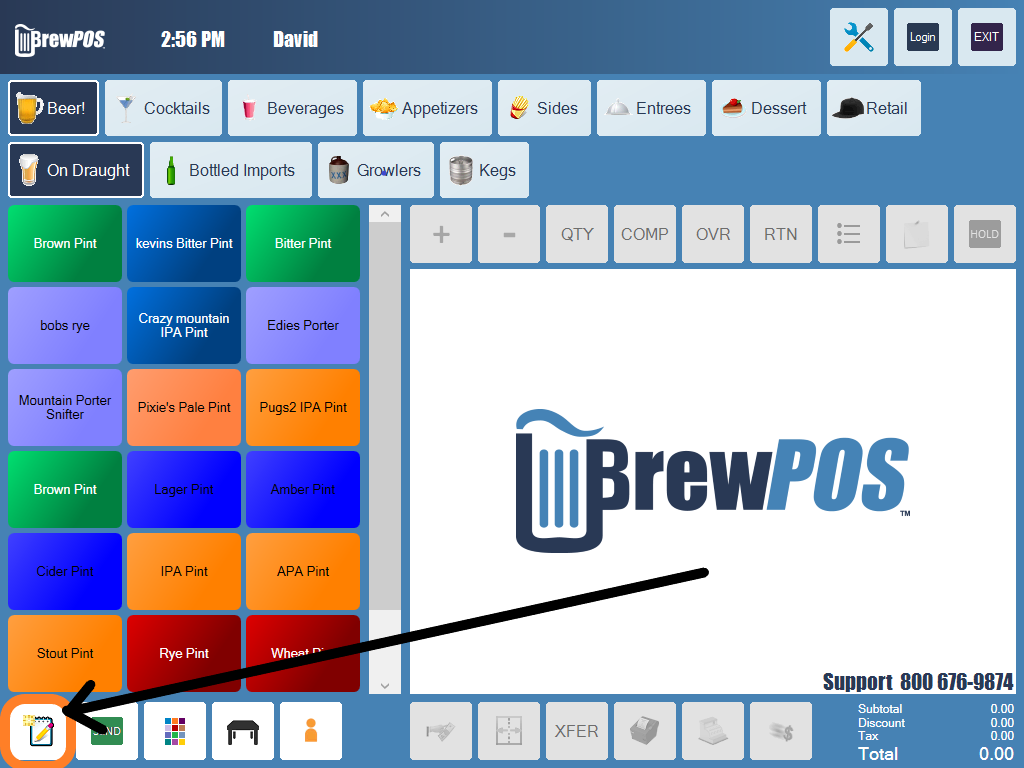
Figure 1. The new tab button is the first one in the bottom toolbar
2. Tap Pre Auth, at the top of the customer screen (Figure 2), and run the card. Pre Auth is greyed out on a station with no card reader.
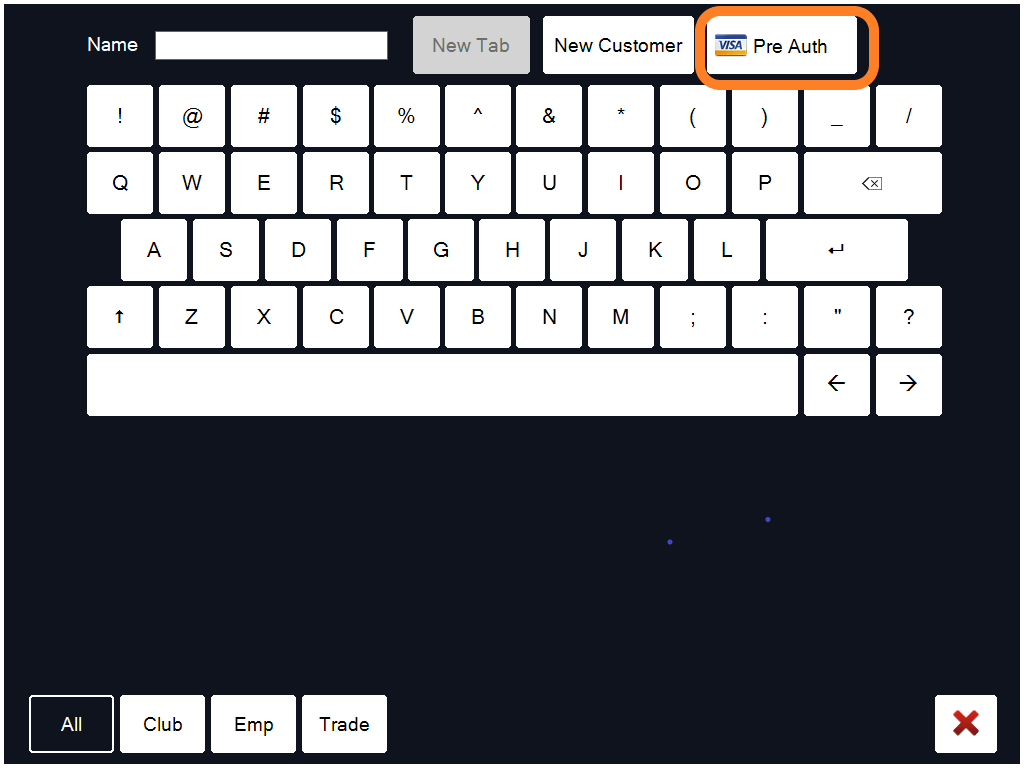
Figure 2. Pre Auth, beside New Tab and New Customer
3. The system takes the customer's name from the card if it can, and puts it on the ticket (Figure 3).
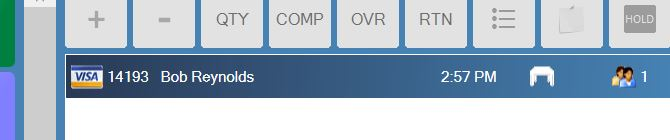
Figure 3. The card symbol on the ticket shows it is a pre-auth tab
From a customer record
1. Tap the customer's name on the ticket to open their record (Figure 4).

Figure 4. Tap the name on the ticket
2. Tap Pre Auth at the bottom of the record (Figure 5), and run the card.
Figure 5. The Pre Auth button on a customer record
On a ticket that is already open
1. Tap the ticket number in the order window.
2. Tap Pre Auth, and run the card. Or pick a customer and follow From a customer record.
Close the tab
1. Add items to the ticket as the evening goes on.
2. If the guest asks for the bill first, print the presenter ticket and take it to them. See Printing the presenter ticket.
3. When it is time to pay, either:
• tap the payment button, choose Credit Card, then choose the pre-auth, or
• tap Quick Pay, if the station has it switched on (Figure 6), then the card button (Figure 7). It is the QuickPay button setting, under Tools, Settings, Configure, Workstation.
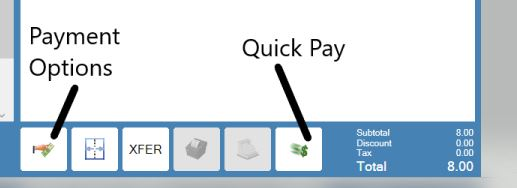
Figure 6. Payment options on the left, Quick Pay on the right
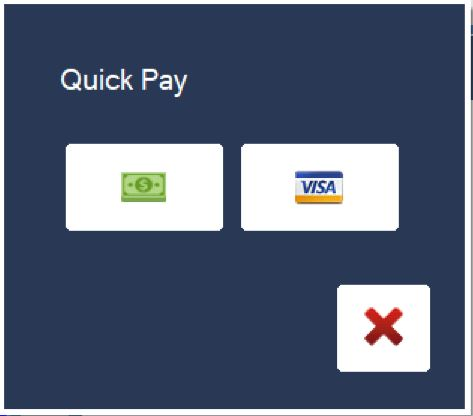
Figure 7. Quick Pay, with a cash button and a card button
About this guide
Applies to: the BREW POS terminal.
Last reviewed: 4 October 2026
BrewPOS How to use
Support 1-800-676-9874
Email [email protected]
© 2026 BREW POS. All rights reserved.