
Splitting and merging tickets
When a table wants separate checks, you split the ticket. You can split by seat in one tap, move items onto new tickets yourself, or print the total split evenly. Merging puts tickets back together.
Everything starts from the same screen.
Open the split screen
Open the ticket.
Tap more... at the bottom right of the order screen.
Tap Split/Merge.
The original ticket is on the left. A new, empty ticket opens on the right with a green header and a target symbol: that is the ticket items move to (Figure 1).
Along the bottom are Add Ticket, Merge Ticket, Merge All, Even Split and Split by Seat.
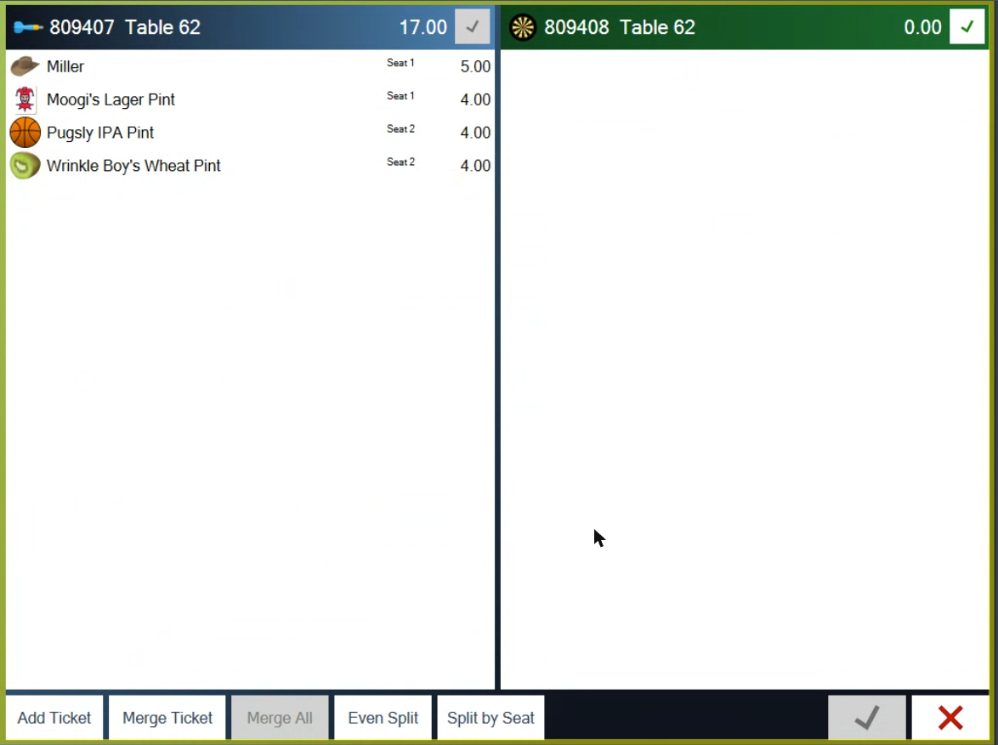
Figure 1. The split screen. The original ticket is on the left, the new ticket with the target is on the right
Split by seat
This is the fastest split, and it only works if you put a seat on each item when you took the order. If no seats were used, or every item is on the same seat, Split by Seat is greyed out.
On the split screen, tap Split by Seat.
That's it. The POS makes one ticket per seat and takes you back to the order screen. The first seat stays on the original ticket number; each other seat gets a new ticket on the same table (Figure 2).
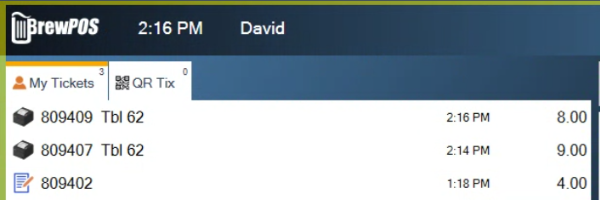
Figure 2. After Split by Seat: seat 1 stayed on ticket 809407 (9.00), seat 2 moved to new ticket 809409 (8.00)
Seats are added when you order. Tap an item on the ticket, then Seat, and pick the seat number. If you don't see a Seat button above the ticket, a manager can turn it on in Tools > Settings > Appearance > Line Item buttons.
Move items by hand
Use this when guests want to split in a way that doesn't follow seats.
Tap an item on the original ticket. It moves to the target ticket, and both totals update.
To start another ticket, tap Add Ticket. The new ticket becomes the target.
Repeat until every guest's items are on their own ticket (Figure 3).
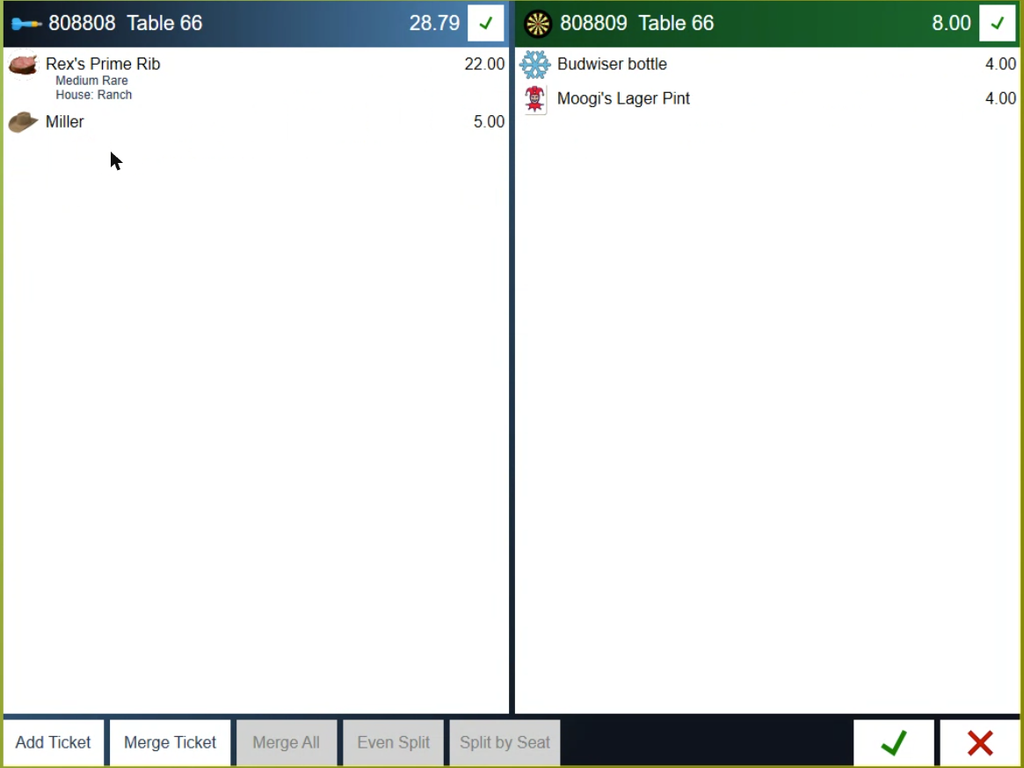
Figure 3. The split screen. Two items have moved to the new ticket on the right
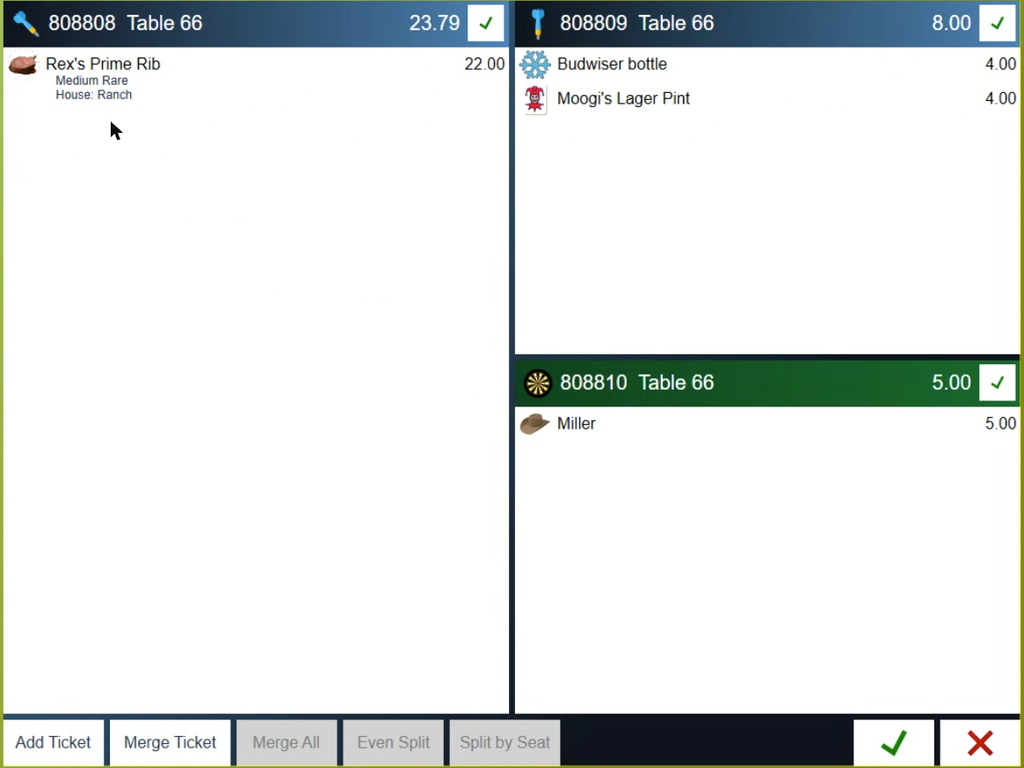
Figure 4. One table, three tickets. The newest one, with the target, is where the next item goes
Split the bill evenly
Even Split doesn't make new tickets. It keeps one ticket and prints a presenter ticket for each guest, showing the whole bill and what each person owes, so the table can each pay their share.
On the split screen, tap Even Split.
Tap how many ways to split it, from 2 to 12 (Figure 5).
One presenter ticket prints for each guest, and you go back to the order screen with the ticket unchanged. Each one lists everything on the ticket, then Split 2 ways (or however many you chose) and the amount each (Figure 6). With dual pricing it gives a Cash amount each and a Card amount each. Take each guest's payment on that one ticket.
Do the even split before you move any items by hand. Once items have moved, Even Split is greyed out.
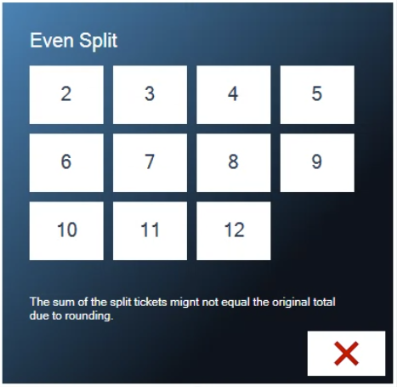
Figure 5. Even Split: pick how many guests are sharing the bill
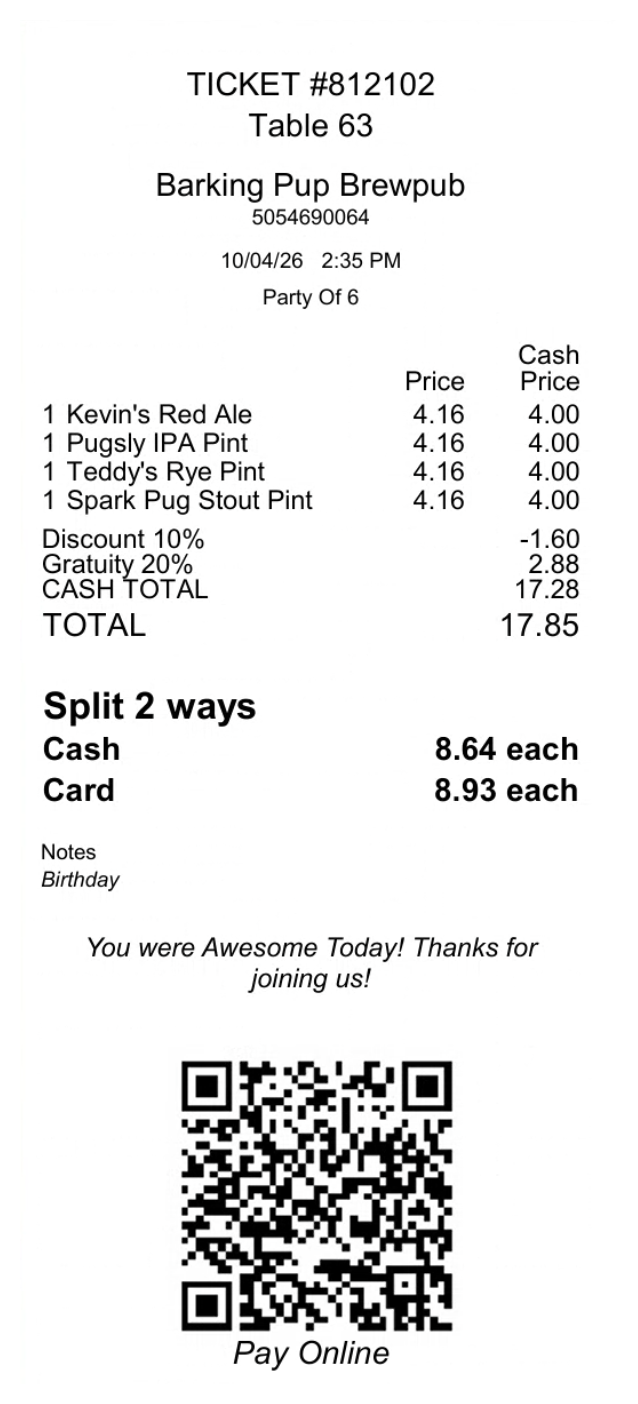
Figure 6. A presenter ticket from an even split, with each guest's share in cash and on a card
Rounding. The split amounts might not add up exactly to the total. The POS warns you about this on the Even Split screen.
Merge tickets back together
Merge Ticket brings another ticket onto the split screen, so you can move items between them.
On the split screen, tap Merge Ticket.
Pick the ticket from the list. The right side shows what's on it (Figure 7).
Tap Merge. The ticket opens next to the one you started with (Figure 8).
Move items between them, or tap Merge All to put everything back on one ticket.
Merge All asks "Merge all products into ticket (number)?" Tap the green check. Every item goes onto the ticket on the left, and the other tickets are closed.
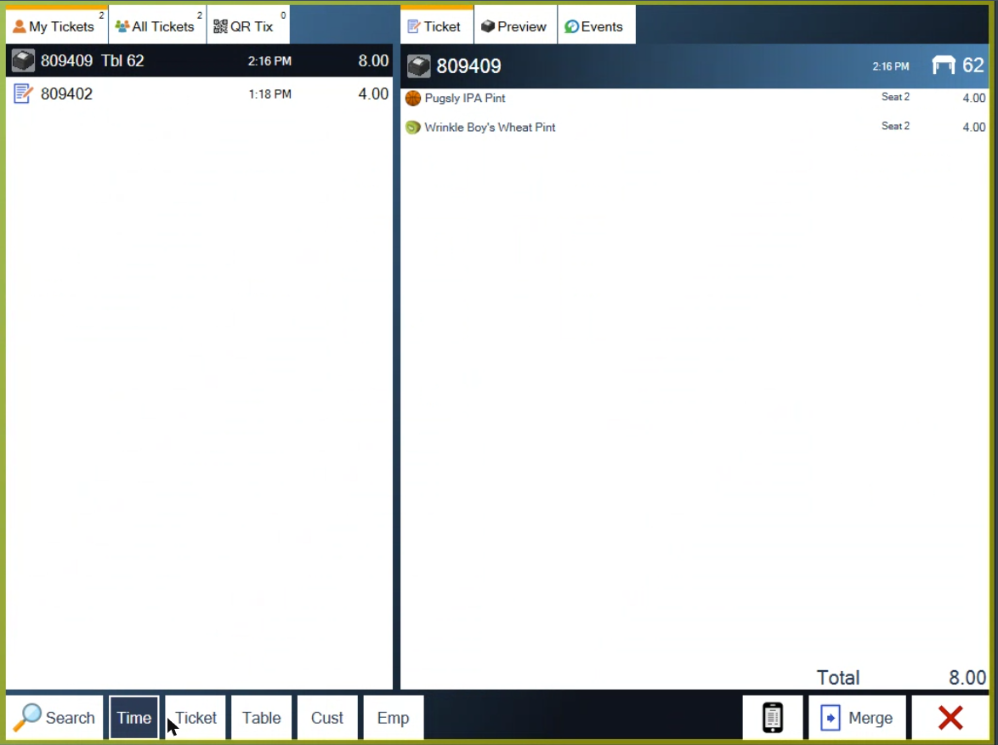
Figure 7. Merge Ticket: pick the ticket to bring in
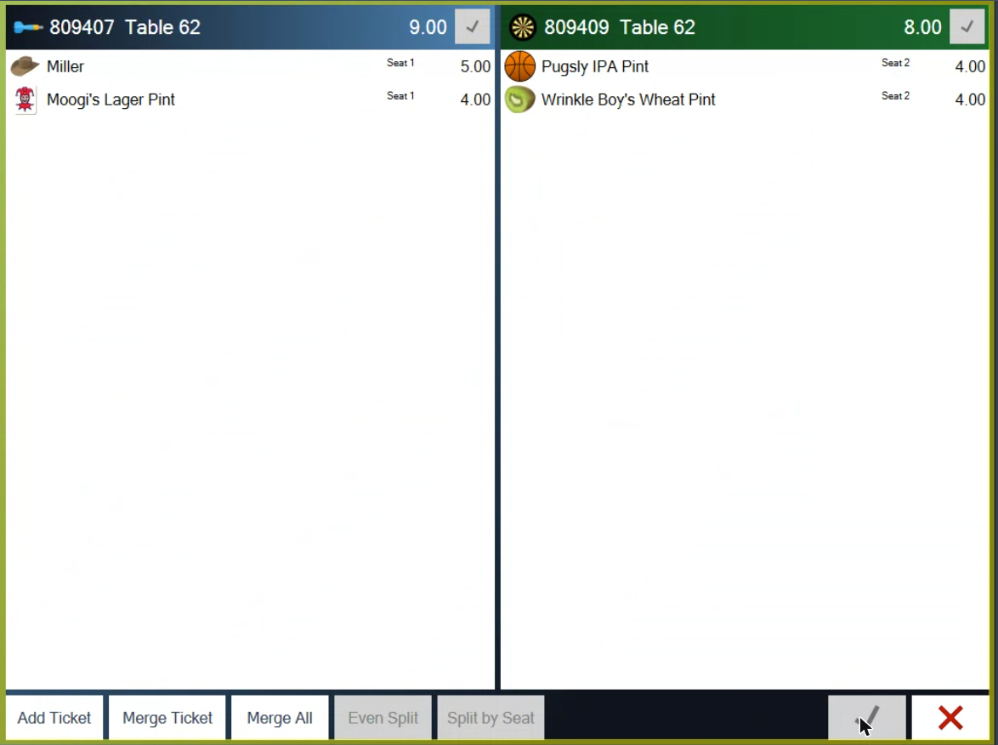
Figure 8. Two tickets side by side, ready to move items or Merge All
Save or cancel
The green check mark on a ticket's header saves that ticket and prints its presenter ticket.
The green check mark at the bottom right saves every change.
The red X cancels without changing anything.
Split tickets then show in the tickets list, and on the tables screen the table shows how many tickets it has (Figure 9).
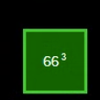
Figure 9. Table 66 now holds three tickets
Good to know
The new tickets keep the table, the server and the customer.
Each ticket has its own presenter ticket. After a split, open each ticket and tap the printer button beside Pay to print the bill for that guest. See Printing the presenter ticket.
Discounts follow the split. A percentage discount on the ticket applies to each new ticket. A dollar discount is turned into a percentage first, so each guest gets their fair share.
Splitting the payment is different. If one guest pays part in cash and part on a card, you don't need to split the ticket. Take two payments on the same ticket (see Taking a payment and adjusting tips).
About this guide
Applies to: the BREW POS terminal.
Last reviewed: 4 October 2026
BrewPOS How to use
Support 1-800-676-9874
Email [email protected]
© 2026 BREW POS. All rights reserved.