
Using the KDS bump bar
A bump bar is the keypad beside a kitchen display screen (KDS). The kitchen uses it to clear finished tickets, bring them back, and move around the screen without touching it. BrewPOS kitchens have used two kinds of bump bar. Check which yours looks like, then use the matching section.
The current bump bar
It has Bump, Recall, Item, Previous and Next along the top, and the numbers and an arrow key along the bottom (Figure 1).
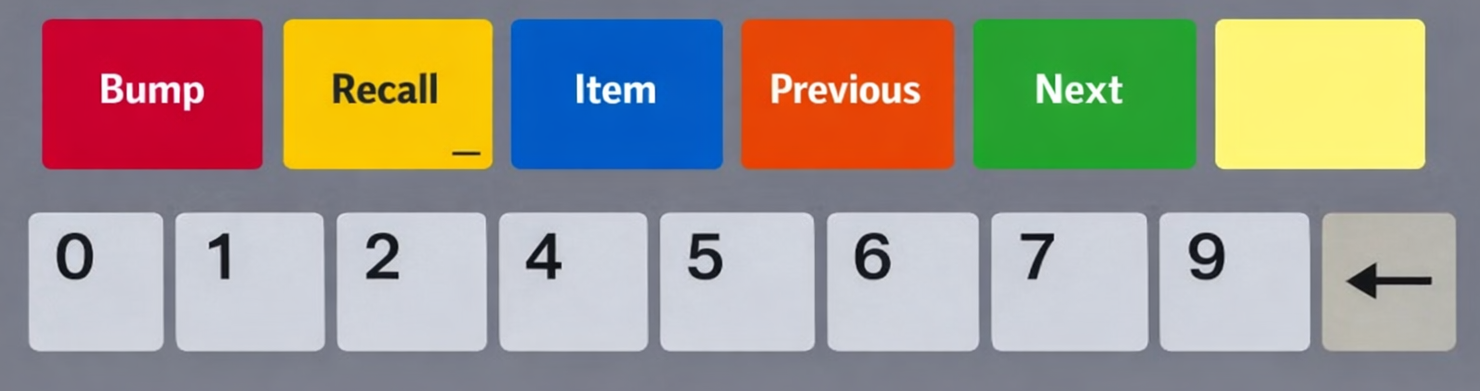
Figure 1. The current bump bar
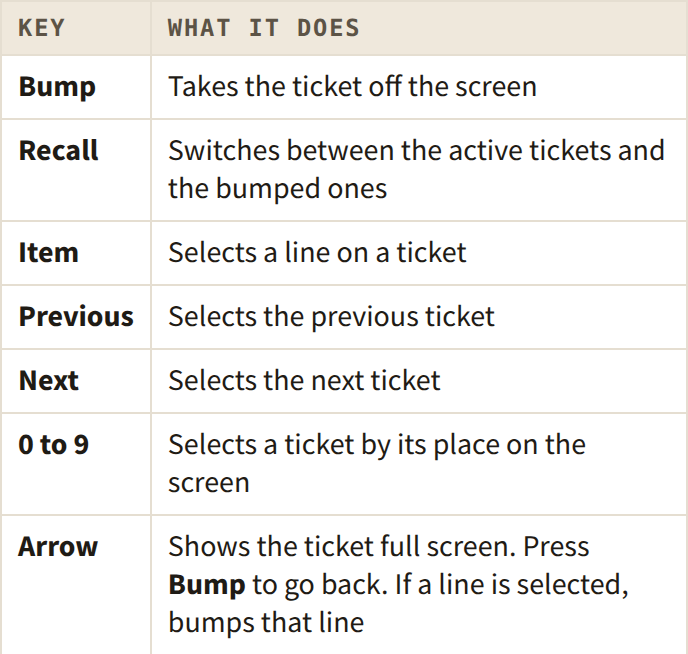
Bring back a bumped ticket
1. Press Recall to open the Recall screen.
2. Use Previous and Next to select the ticket on the left.
3. Press Bump to move it back to the active tickets.
To leave without recalling anything, press Recall again.
Reconnect a bump bar that stops responding
1. On the KDS station, open Settings, then tap Screens, then Settings.
2. Tap Bump Bar (Figure 2).
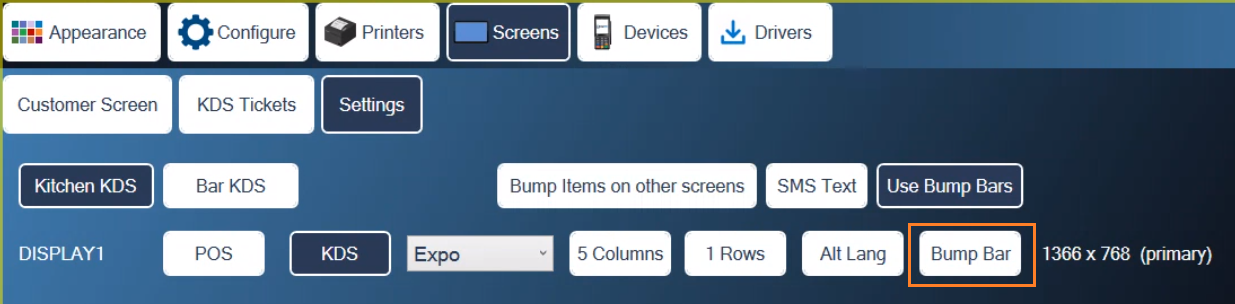
Figure 2. The Bump Bar button on the Screens settings
3. When asked, press Bump on the bump bar.
4. Tap the red X to leave settings.
The older bump bar with a Scroll key
The older bar has six colored keys. Not all of them are labeled, and some are labeled wrongly, so go by color. From left to right they are:
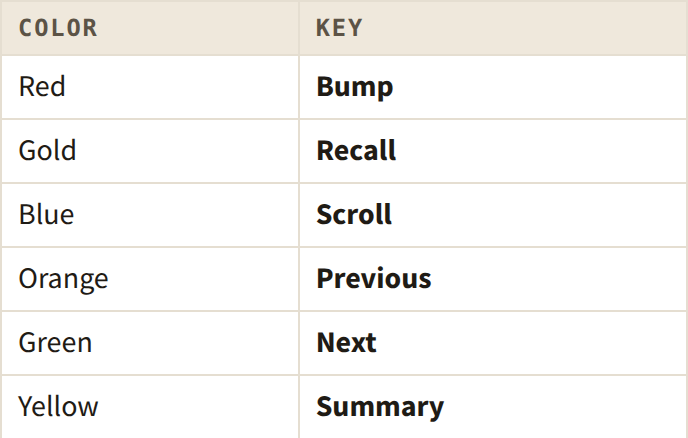
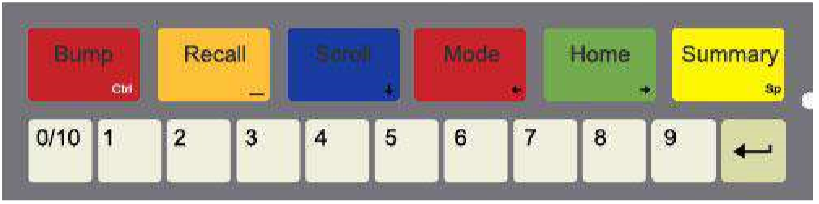
Figure 3. An older bump bar. Its labels do not all match the keys, so go by color
See tickets that are off the screen: press Next (green) to move the screen left and Previous (orange) to move it right.
Bump a whole ticket: press the ticket's number.
Bump one line:
1. Press Scroll (blue), then the ticket's number.
2. Use Next and Previous to move up and down the lines.
3. Press Bump (red) to bump the line.
4. Press Scroll again to finish.
Bring back a bumped ticket:
1. Press Recall (gold) to list the bumped tickets.
2. Use Next and Previous to move through the list.
3. Press the arrow key to recall the ticket.
4. Press Recall again to close the list.
To reprint a bumped ticket without recalling it, press Scroll (blue) while it is selected in the list.
About this guide
BREW POS: front of house how-to guide
Applies to: the BREW POS kitchen display. Written from the BrewPOS quick references BrewPOS KDS Bump Bar (April 2026) and KDS Bump Bar (2020). Not yet re-checked against the current release, so some screens may look different on yours.
Last reviewed: 29 September 2026 · Owner: Eddy
BrewPOS How to use
Support 1-800-676-9874
Email [email protected]
© 2026 BREW POS. All rights reserved.