
Running club memberships
A club membership is an annual membership you sell to regulars, which gives them discounts you choose. BrewPOS has three levels, Diamond, Gold and Silver. This guide covers building each level's discounts in BREW POS Admin and applying them at the POS.
Why Use Clubs Instead of Points or Reward Systems
BrewPOS uses club memberships and club discounts in place of points or a rewards platform. That is a deliberate choice.
Points and rewards feel good in the moment. A customer hears they have a free pint coming and gets a small thrill. That feeling fades quickly, though, and it does little to bring them back through your door.
A club works the other way round. When a regular pays for a membership up front, they want their money's worth, so they come back to use their discount again and again through the year. Those visits turn into a routine, and a routine is what keeps a regular coming back.
A club is also simpler to run. There are no points to track or redeem: once a member's name is on the ticket, their discounts apply by themselves.
How the levels work
• Each level is separate. A Diamond membership does not include any Gold or Silver discounts.
• A customer can only have one active level at a time.
• A level can carry as many discounts as you like (Figure 1).
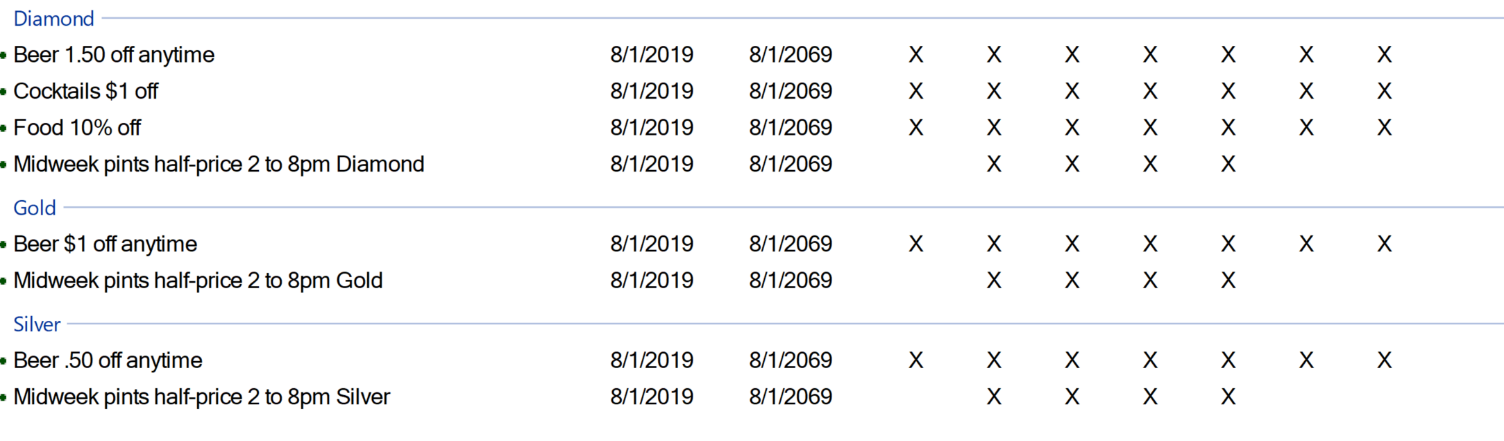
Figure 1. Diamond has four discounts, Gold and Silver two each
Before you start
BrewPOS supports up to three price and discount levels. To turn on additional club levels, call BrewPOS Support on 1-800-676-9874 with the price you want to charge for each level.
Sell a membership
A membership belongs to a customer record, so the POS makes sure there is one.
1. Tap More..., then the membership level under Club Memberships: Club - Diamond, Club - Gold or Club - Silver (Figure 2). Where these buttons live depends on how your menu is set up.
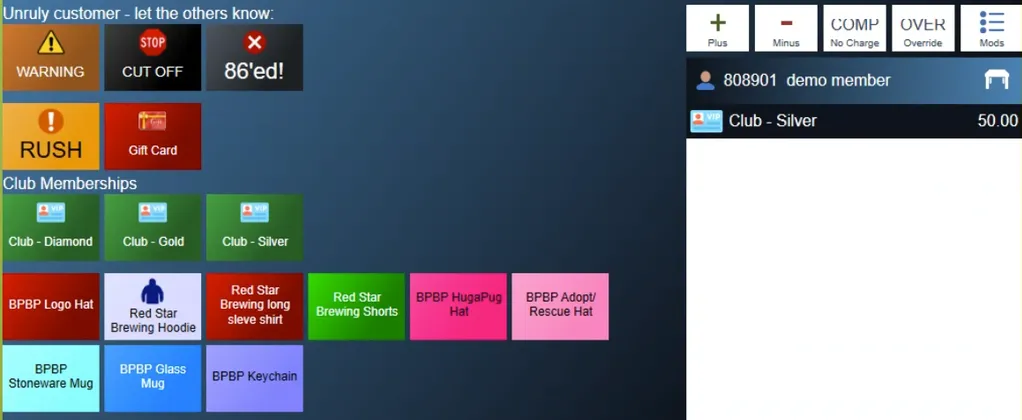
Figure 2. The membership buttons, here under More...
2. If the ticket has no customer on it, the POS says A Customer record is required for Club members (Figure 3). Close the message.
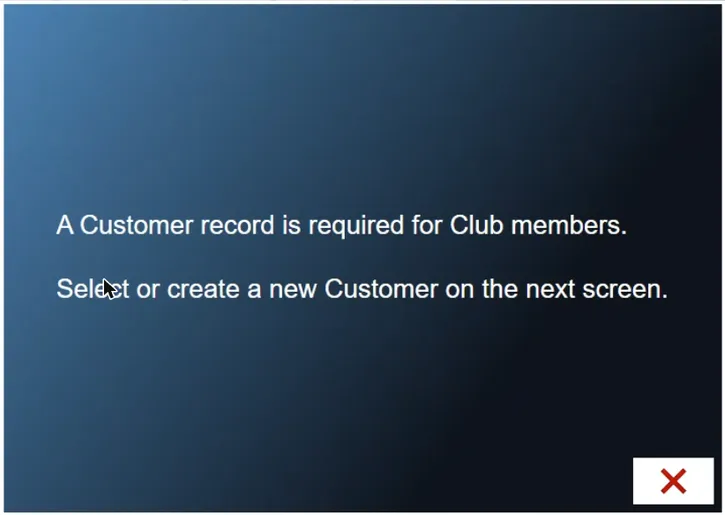
Figure 3. Every membership needs a customer record
3. On the customer screen, search for the customer by name or phone number and tap them, or tap New Customer.
4. For a new customer, type their full name and tap the check mark, then their phone number and the check mark. The rest of the record is optional (Figure 4). Tap the check mark at the bottom right to save it.
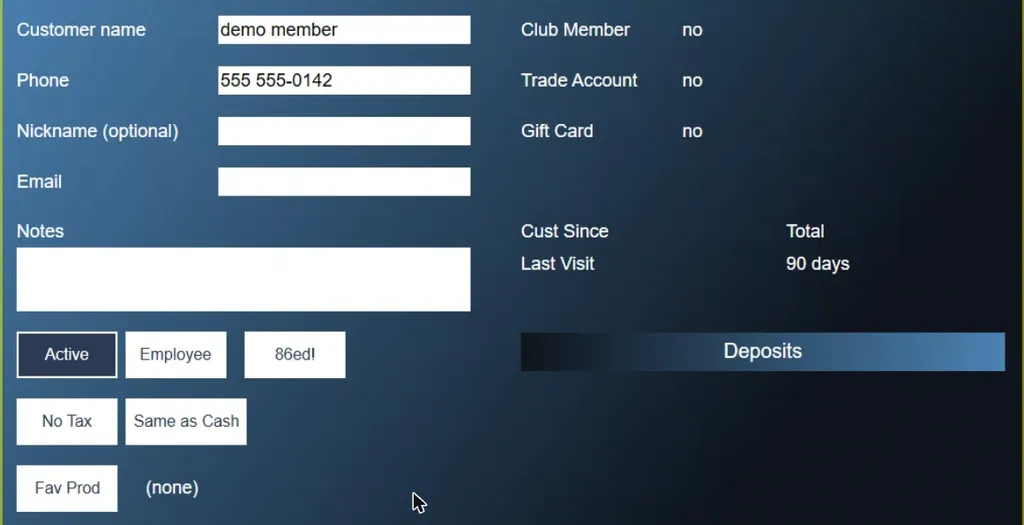
Figure 4. A new customer record, ready to save
5. The membership goes on a ticket in the customer's name. Take payment as normal.
Give a member their discounts
The discounts apply by themselves, but only when the member's name is on the ticket.
• To start a ticket for a member, tap New Tab, tap Club at the bottom of the customer screen, search for them, and tap their name.
• To add a member to a ticket already open, tap the ticket number at the top of the ticket (Figure 5).
• If you are starting a pre-auth tab, tap the pre-auth name instead.
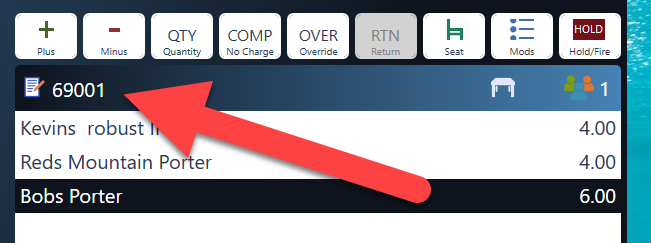
Figure 5. Tap the ticket number to add a customer
The ticket header shows CLUB, and each discounted item shows its club price and Club discount (Figure 6).
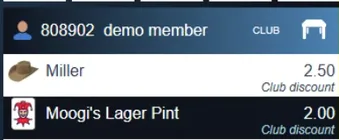
Figure 6. A member's ticket. The club price is applied as each item is added
Build the discounts for a level
1. In BREW POS Admin, go to Setup, Discounts, Club Discounts (Figure 7).
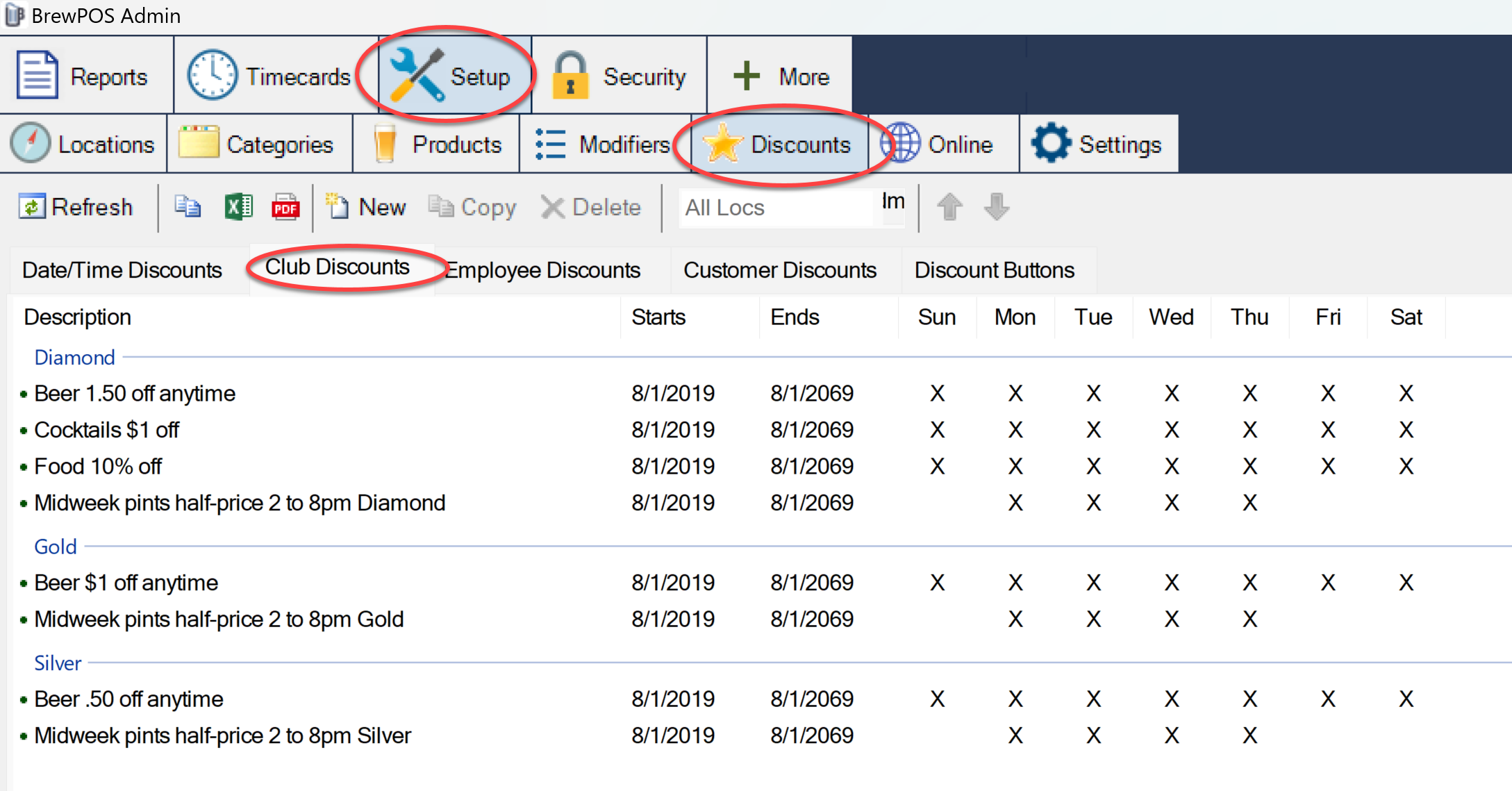
Figure 7. The Club Discounts tab
2. Click New (Figure 8).
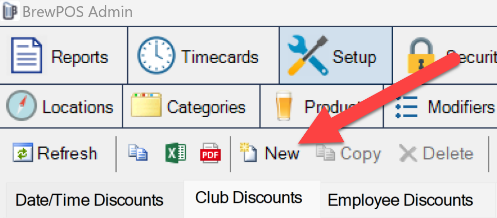
Figure 8. New, in the toolbar
3. Fill in the discount (Figure 9):
• Description: how it shows in Admin.
• Category or Products: discount everything in a category, or pick products.
• Type: a discount amount, a percentage, or a set price.
• From and to: the dates it runs between.
• The days and times: tick the days and set the times. The discount applies by itself during those times.
• Cumulative discount: ticked, it adds on top of any discount staff apply by hand. Unticked, the system uses whichever discount is bigger.
• Club Level: which level gets it.
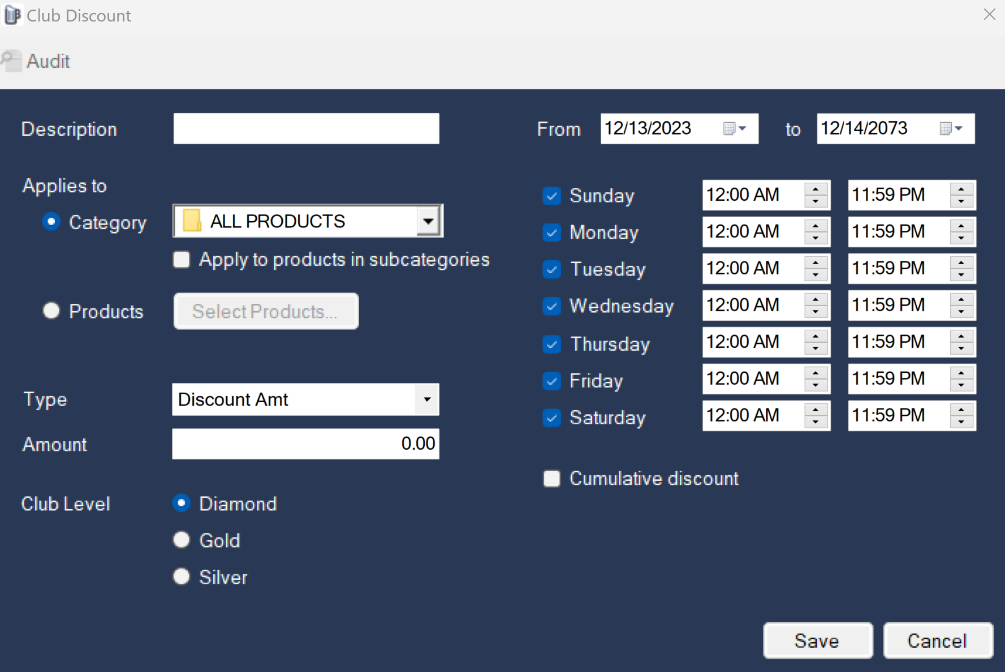
Figure 9. A new club discount
4. Click Save.
Build each discount separately, with New or Copy.
About this guide
BREW POS: merchant how-to guide
Applies to: the BREW POS terminal, build installed 23 September 2026. Sell a membership and Give a member their discounts were checked on a running terminal on 30 September 2026. Build the discounts for a level and Before you start come from the BrewPOS quick reference Club Memberships (December 2023) and describe the desktop Admin; they were not re-checked.
Last reviewed: 30 September 2026 · Owner: Eddy
BrewPOS How to use
Support 1-800-676-9874
Email [email protected]
© 2026 BREW POS. All rights reserved.