
Reattaching a lost card payment
Now and then an internet hiccup interrupts a card payment partway through. The card machine takes the payment, but the "done" message never reaches the POS. You end up with a signed card slip and a ticket that still shows as unpaid. A tool on the POS finds these payments and reattaches them.
Before you start
You need administrator permission. Someone with it has to be logged in.
Reattach the payment
1. Tap Tools, top right, then Settings, Appearance and other settings (Figure 1).
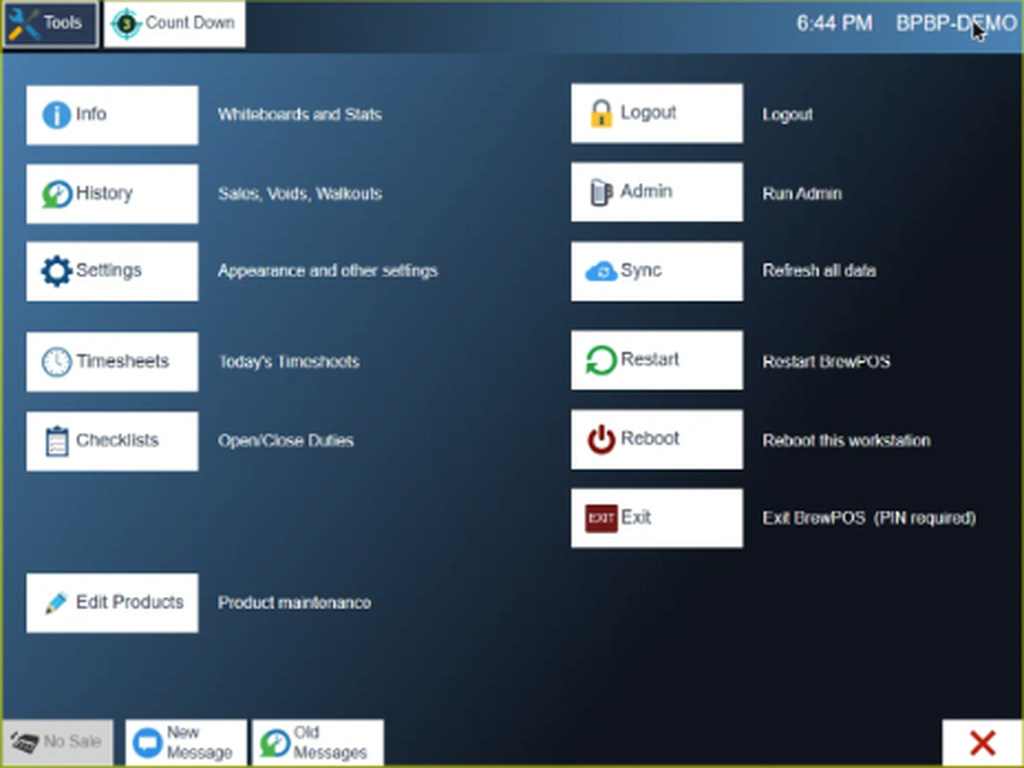
Figure 1. The Tools screen. Settings is on the left
2. Tap Devices, the last tab along the top (Figure 2).

Figure 2. Devices, beside Appearance, Configure, Printers and Screens
3. Tap the batch button at the bottom left of the Devices screen (Figure 3). On a station without a card reader it reads Web Batch.
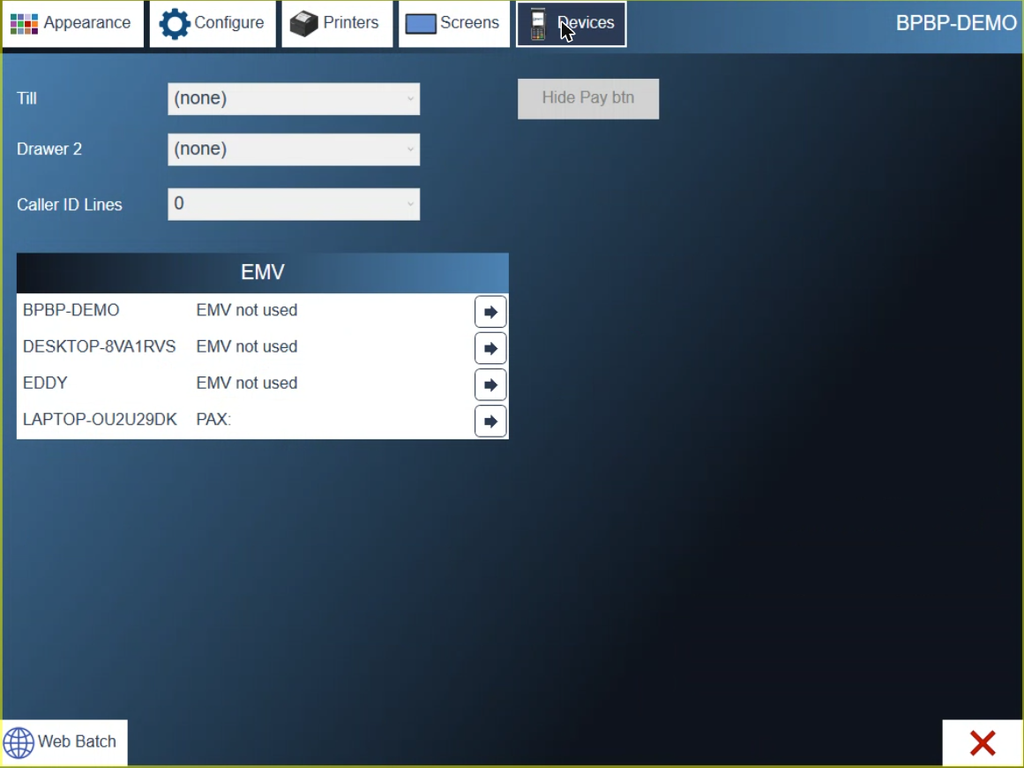
Figure 3. The Devices screen. The batch button is bottom left
4. A message tells you which payment was recovered, and on which ticket (Figure 4).
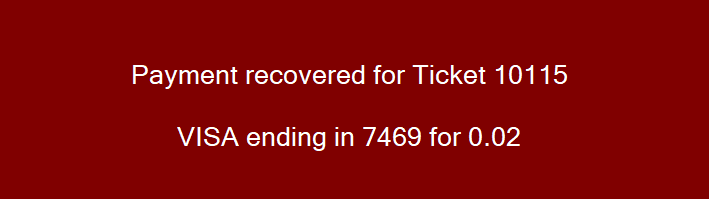
Figure 4. The payment is back on its ticket
This works for part payments and for closed tickets.
About this guide
BREW POS: front of house how-to guide
Applies to: the BREW POS terminal, build installed 23 September 2026. The way to the Devices screen was checked on a running terminal on 30 September 2026, on a station with no card reader. Running the batch, Figure 4 and the last line come from the BrewPOS quick reference How to reattach a lost payment authorization (May 2021) and were not re-checked.
Last reviewed: 30 September 2026 · Owner: Eddy
BrewPOS How to use
Support 1-800-676-9874
Email [email protected]
© 2026 BREW POS. All rights reserved.