
Cleaning a chip card reader
Chip card readers need regular cleaning to last. Credit cards are dirty, and inserting them into a reader leaves a build-up on the chip reader over time.
Signs your reader needs cleaning
A dirty chip reader is one of the most common reasons a card will not read. Clean the reader when you see any of these:
Chip cards fail to read, or customers have to insert the card two or three times.
The reader shows a chip or card read error, such as "Chip read error", "Card read error", "Chip malfunction" or "Unable to read card".
The reader asks for a swipe because it cannot read the chip.
Tapping a card works but inserting it does not.
Try a second card first. If only one card fails, the problem is that customer's card. If every card fails, the reader is the problem, and cleaning it is the first thing to try.
What you need
A card reader cleaning card (Figure 1). Any brand works. You can order one from the Credit Card Machine Cleaner link on BrewPOS Supplies.
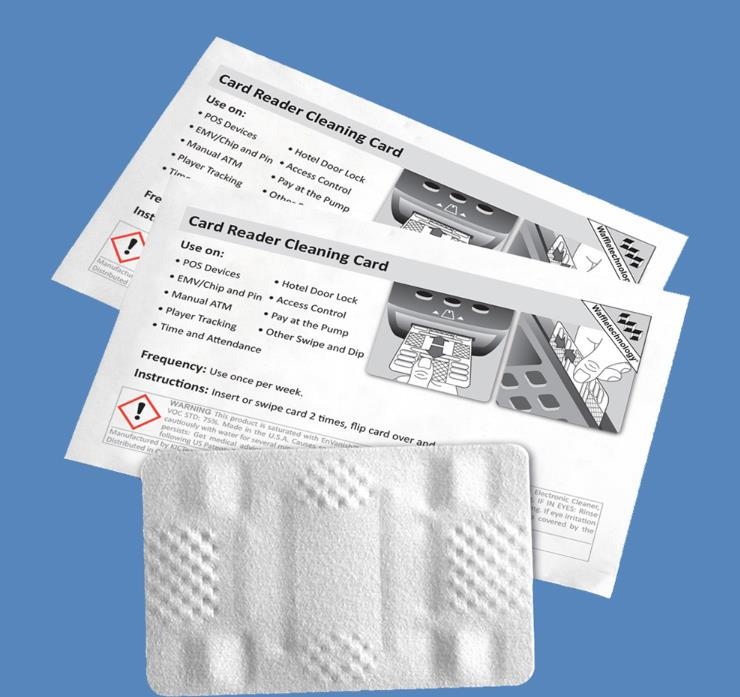
Figure 1. A card reader cleaning card
How often
Once a week for readers inside or with light use. Clean more often for readers outside or with heavy use, especially where there is a lot of grease, food or dust.
Clean the reader
Insert the cleaning card into the chip reader 5 or 6 times, the same way you would insert a credit card.
Remove the card. Repeat step 1 if the reader still needs it.
Throw the cleaning card away.
Use a cleaning card made for card readers. Do not spray cleaner into the reader or push anything else into the card slot.
If cards still will not read after cleaning, call BrewPOS Support on 1-800-676-9874.
About this guide
Applies to: chip card readers used with BrewPOS.
Last reviewed: 25 October 2026