
Charging to a house account at the POS
A house account, which BrewPOS calls a trade account, lets a customer run up a balance or spend a credit you have set up for them. Every account belongs to a customer record, so the first step is always to get the customer onto the ticket. Setting up the account itself is done in BREW POS Admin.
Put the customer on the ticket
1. Tap New Tab. The customer screen opens.
2. Tap Trade, at the bottom, to list only customers with a trade account.
3. Type the first letters of their name or phone number, and tap the customer.
A tab opens in their name (Figure 1). To add the customer to a ticket that is already open, tap the ticket number instead and pick them the same way.
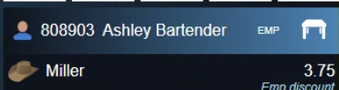
Figure 1. A ticket in the customer's name
Check the balance
Tap the customer's name on the ticket. Their record shows the Trade Account balance (Figure 2). Tap the red X to go back to the ticket.
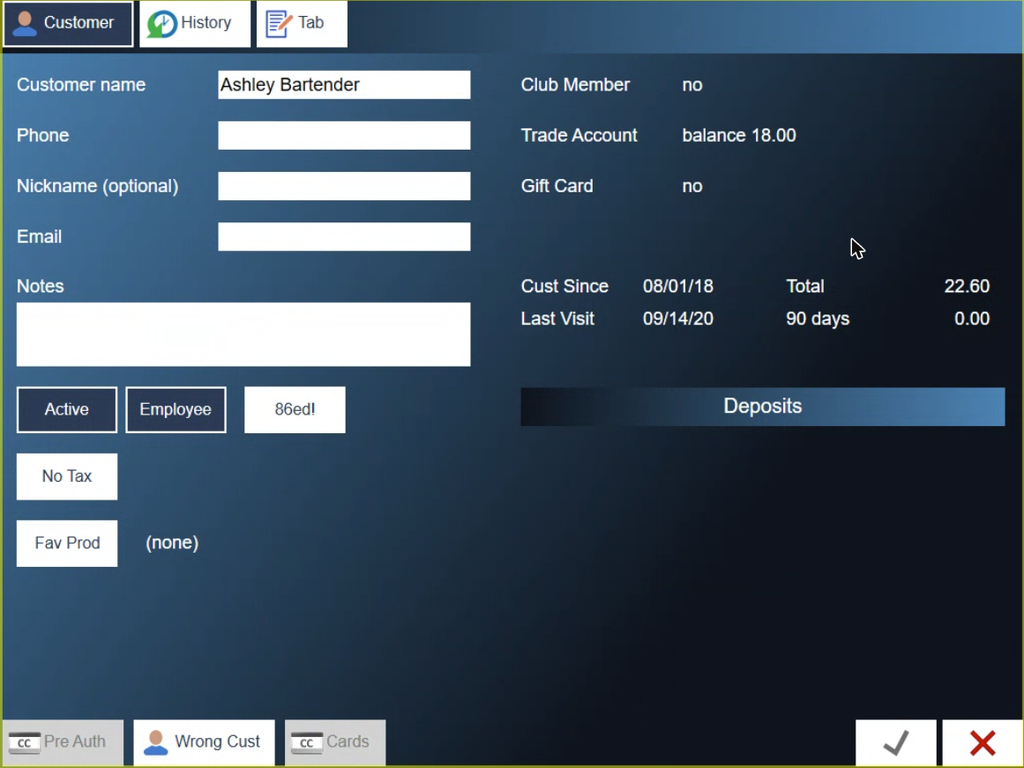
Figure 2. The customer record. Trade Account shows the balance
Pay with the account
1. Tap Pay, then Other, the last of the four payment buttons (Figure 3).
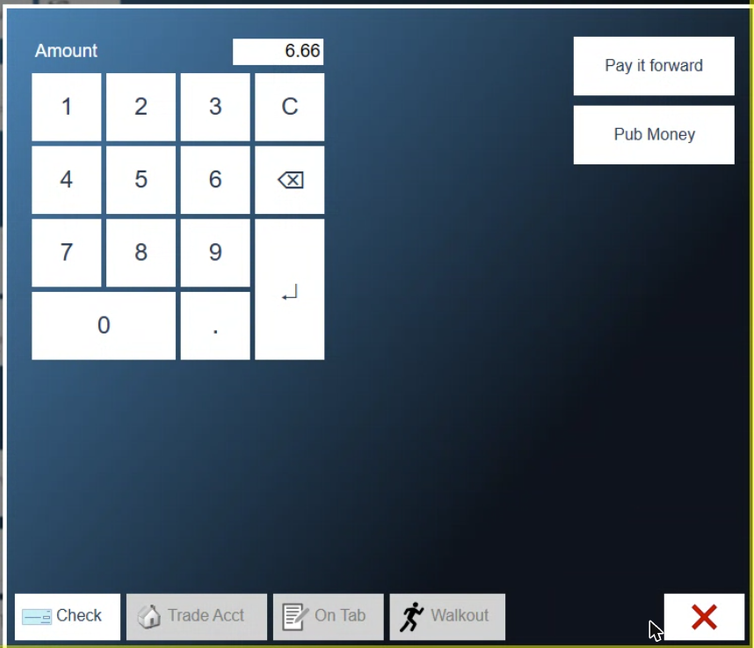
Figure 3. Other payments. Trade Acct is along the bottom
2. Tap Trade Acct. The On Acct amount is filled in with what is left to pay, and the account balance shows below it (Figure 4).
3. Change the amount if only part goes on the account, then tap the green check mark. If the account covers the whole ticket, the ticket closes.
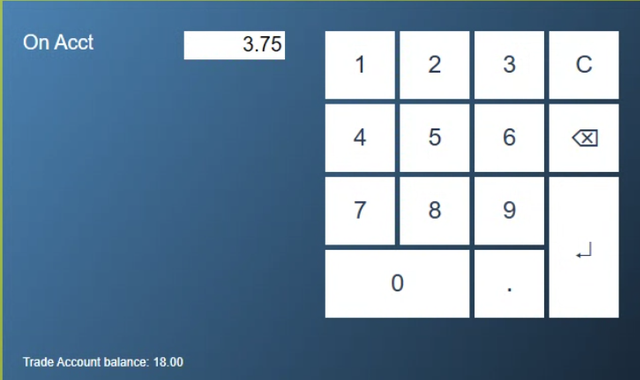
Figure 4. Charging the ticket to the account
About this guide
BREW POS: front of house how-to guide
Applies to: the BREW POS terminal, build installed 23 September 2026. Checked on a running terminal on 30 September 2026.
Last reviewed: 30 September 2026 · Owner: Eddy
BrewPOS How to use
Support 1-800-676-9874
Email [email protected]
© 2026 BREW POS. All rights reserved.